📓 Record Every Incident
Log arguments, patterns of control, domestic incidents, and important interactions in a structured incident report format – while it’s still fresh in your mind.

A private, secure incident journal to help you calmly record what really happened – with time-stamped notes, photos, videos, GPS, and police details when needed.
iOS only · Data stays on your device until you choose to export

Point your camera at this code to download SafetyNet from the App Store.
Built to keep a calm, clear record when life gets chaotic.
Log arguments, patterns of control, domestic incidents, and important interactions in a structured incident report format – while it’s still fresh in your mind.
Attach media as evidence – photos of damage, screenshots, or short video clips – all tied to a specific time and place.
SafetyNet automatically records date, time, and location (when allowed), helping you show patterns and build a clear timeline if you ever need it.
Your data lives on your phone. You decide when and what to export. Use Face ID / passcode (where enabled) to help protect access to your incident history.
Capture key details law enforcement or courts care about: who was involved, what happened, witnesses, property damage, and more.
Generate a QR code that securely packages your incident data so it can be quickly shared with someone you trust or a companion viewer app.
When you’re dealing with manipulation, gaslighting, or domestic violence, it‘s easy to start doubting your own memory. Details blur. Days blend together. Stories get twisted.
SafetyNet was created as a calm space to capture the truth – while you’re safe, breathing, and able to think clearly. It doesn’t tell you what to do. It simply helps you keep a clean, organized record.
Whether you’re tracking red flags in a relationship, documenting harassment, or just trying to understand repeating patterns, having written, time-stamped documentation can make all the difference.
Only use SafetyNet when you are safe and it is reasonable for you to do so. If you are in immediate danger, call your local emergency number (for example, 911 in the United States).
This app is a documentation tool, not a replacement for emergency services, legal advice, counseling, shelters, or advocacy organizations. If you need help, please reach out to a trusted friend, family member, advocate, or local hotline.
Clean, simple screens designed to stay out of your way and let you focus on the facts.
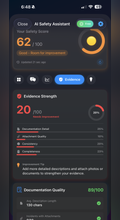
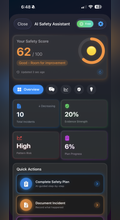
Dashboard with recent incidents and quick add button.
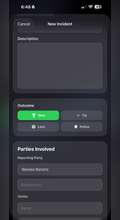
Incident entry screen with notes, media, and police details.
Map and timeline view to help you see patterns over time.
SafetyNet respects your privacy.
All information you record inside the app — including incidents, descriptions, photos, videos, documents, locations, and outcomes — is stored privately on your device unless you choose to export or share it.
SafetyNet does not collect, store, sell, or transmit your personal data to any server or third party.
Your entries, attachments, and reports belong entirely to you.
If you enable iCloud, your data may sync securely across your personal devices using Apple's encrypted iCloud services. SafetyNet never has access to this data.
SafetyNet does not use analytics, tracking, advertisements, or profiling.
The app does not access your information in the background or without your action.
You are always in full control of what you save, what you delete, and what you share.
If you are in immediate danger or experiencing an emergency, always contact local authorities first. SafetyNet is a documentation tool, not an emergency service.
For questions or support, please contact:
Jeff@safetynet.life